Japan · Passport Photo
Make a Japanese passport photo online - 35 x 45 mm
Make a Japanese passport photo online with the verified 35 x 45 mm preset, plain white background guidance, official-source requirements, a free preview, and the HD photo plus printable 4x6 sheet when the result is ready.
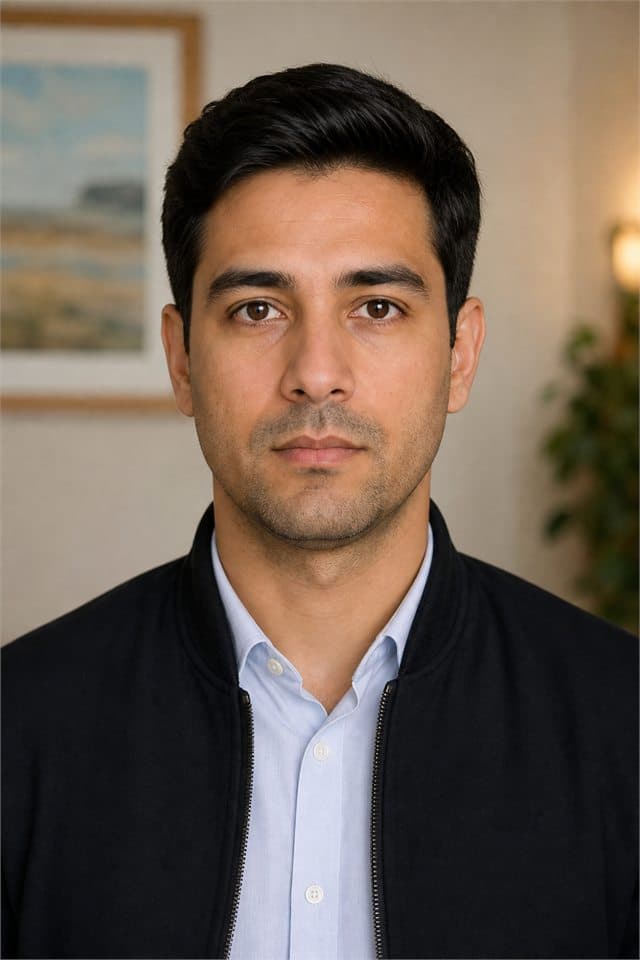

| Photo size | 35 × 45 mm (1.38 × 1.77 in) |
|---|---|
| Background | plain white |
| Head size | 70-80% of photo height · 32-36 mm chin to crown |
| Digital requirements | Use the standalone HD JPEG for online upload when the authority asks for one photo file. Do not upload the printable sheet when a portal asks for a single photo. For a domestic Japan online application, a pre-taken face photo must be JPG and no larger than 600 KB. For a Japan online application from abroad, the accepted formats are JPG, JPEG, BMP, or PNG from 20 KB to 2 MB; portal compression can still cause a size error. |
| Print requirements | Print the photo at exactly 35 x 45 mm on photo paper when a printed photo is required. Use 100% / actual size and never fit the image to the page. The printable sheet includes cut guides for individual photos. |
| Official source | Ministry of Foreign Affairs of Japan |
| Last reviewed | 2026-08-06 |
Check the official rules before submitting
We are an independent photo tool, not a government agency. Document rules can change, so check the official source linked on this page before submitting. The issuing authority makes the final acceptance decision.
Step-by-step instructions
- 1.Choose Japan and Passport Photo in the editor.
- 2.Upload a clear recent photo taken against a plain wall in even light.
- 3.Fit the face guide, validate the crop, and set the required background.
- 4.Preview for free, then download the HD file and printable 4x6 sheet when ready.
Important official notes
- Japan's Ministry of Foreign Affairs says the passport photo standard follows ICAO recommendations and is important for identity and facial-recognition checks.
- Online upload format and file-size rules differ between applications made in Japan and applications made from abroad.
How to take the source photo
- Take the source photo with even front light and no shadow behind the head.
- Face the camera directly with eyes open, a neutral expression, and a closed mouth.
- Frame head and shoulders so the face can be cropped to the verified head-size range.
- If glasses are allowed, lenses must be clear, untinted, and glare-free.
- No casual hats or caps; any permitted covering must leave the full face visible with no shadows.
Common rejection reasons
- Smiling, frowning, closing eyes, or opening the mouth.
- Hair covering the eyes or face outline.
- Necklaces, chains, or shiny jewelry covering the neck/face or reflecting light.
- Shadows on the face or behind the head.
- Heavy filters, beauty effects, or retouching.
- Glasses with glare, tint, thick frames, or lenses covering the eyes.
- A casual hat/cap or permitted head covering casting shadows or hiding facial edges.
Digital upload
- Use the standalone HD JPEG for online upload when the authority asks for one photo file.
- Do not upload the printable sheet when a portal asks for a single photo.
- For a domestic Japan online application, a pre-taken face photo must be JPG and no larger than 600 KB.
- For a Japan online application from abroad, the accepted formats are JPG, JPEG, BMP, or PNG from 20 KB to 2 MB; portal compression can still cause a size error.
Printing
- Print the photo at exactly 35 x 45 mm on photo paper when a printed photo is required.
- Use 100% / actual size and never fit the image to the page.
- The printable sheet includes cut guides for individual photos.
Official source
Official source: Japan Passport Photo
Ministry of Foreign Affairs of Japan. Open official requirements: Japan Passport Photo (https://www.mofa.go.jp/mofaj/toko/passport/ic_photo.html). Last reviewed: 2026-08-06.
Cropping, resizing, validation, preview, and export run in your browser. Background processing runs only when you choose the background step.
FAQ
Is my photo public?
Cropping, resizing, validation, preview, and export run in your browser. Background processing runs only when you choose the background step.
Can I print on a 4x6 sheet?
Yes. The editor includes a printable sheet, but submit the standalone Japan Passport Photo file when an online portal asks for one photo.